Bridge with symfony/framework-bundle
Refer to the official documentation on Symfony’s website.
This bridge provides library configuration, and services registering in a Symfony framework project.
Configure the Job launcher(s)
You can use many different job launcher in your application, you will be able to register these using configuration:
# config/packages/yokai_batch.yaml
yokai_batch:
  launcher:
    default: simple
    launchers:
      simple: ...
      async: ...
Note
If you do not configure anything here, you will be using the SimpleJobLauncher.
default job launcher, must reference a launcher name, defined in the launchers list.default job launcher will be the autowired instance of job launcher when you ask for one.launchers will be registered as a service, and an autowire named alias will be configured for it.<?php
declare(strict_types=1);
namespace App\Service;
use Yokai\Batch\Launcher\JobLauncherInterface;
final class YourAppCode
{
public function __construct(
private JobLauncherInterface $jobLauncher, // will inject the default job launcher
private JobLauncherInterface $simpleJobLauncher, // will inject the "simple" job launcher
private JobLauncherInterface $messengerJobLauncher, // will inject the "messenger" job launcher
) {
}
}
All launchers are configured using a DSN, every scheme has it’s own associated factory:
simple://simple: a SimpleJobLauncher, no configuration allowedmessenger://messenger: a DispatchMessageJobLauncher, no configuration allowedconsole://console: a RunCommandJobLauncher, configurable options:log: the filename where command output will be redirected (defaults tobatch_execute.log)
service://service: pointing to a service of your choice, configurable options:service: the id of the service to use (required, an exception will be thrown otherwise)
# config/packages/yokai_batch.yaml
yokai_batch:
  launcher:
    default: simple
    launchers:
      simple: simple://simple
      console: console://console
    routing:
      export_job_name: simple
      import_job_name: console
Note
It is not required to configure every single job in the routing.
The default will be the fallback for all jobs you did not not configured in the routing.
Note
If you configure config.launcher.routing, it will replace your configured default from autowiring perspective.
See also
Configure the JobExecution storage
You can have only one storage for your JobExecution, and you have several options:
filesystemwill create a file for eachJobExecutionin%kernel.project_dir%/var/batch/{execution.jobName}/{execution.id}.jsondbalwill create a row in a table for eachJobExecutionservicewill use a service you have defined in your application
# config/packages/yokai_batch.yaml
yokai_batch:
  storage:
    filesystem: ~
    # Or with yokai/batch-doctrine-dbal (& doctrine/dbal)
    # dbal: ~
    # Or with a service of yours
    # service: ~
Note
filesystem, because it only requires a writeable filesystem.doctrine/dbal in your project, it is highly recommended to use it instead.JobExecution in a filesystem might be slow, specially if you are planing to add UIs on top.You can also configure the storage using a DSN string, which is especially useful to switch storage per environment via an environment variable:
# config/packages/yokai_batch.yaml
yokai_batch:
  storage: '%env(BATCH_STORAGE_DSN)%'
All storage DSN use the scheme://...?options format. Every scheme has its own associated factory:
filesystem://{dir}: a FilesystemJobExecutionStorage, configurable options:serializer: the service id of the serializer to use (defaults toJsonJobExecutionSerializer)Example:
filesystem://%kernel.project_dir%/var/batchExample with options:
filesystem://%kernel.project_dir%/var/batch?serializer=Yokai\Batch\Serializer\JsonJobExecutionSerializer
dbal://{connection}: a DoctrineDBALJobExecutionStorage, configurable options:table: the table name to use (defaults to built-in default, usenullto keep default)Example:
dbal://defaultExample with options:
dbal://default?table=my_batch_table
service://service: pointing to a service of your choice, configurable options:id: the id of the service to use (required, an exception will be thrown otherwise)Example:
service://service?id=App\Batch\MyCustomStorage
Configure the JobExecution id generator
When it is created, every JobExecution is assigned with a unique identifier.
You can configure what your id will be like:
uniqid: a UniqidJobExecutionIdGeneratorsymfony.uuid.random: a RandomBasedUuidJobExecutionIdGeneratorsymfony.uuid.time: a TimeBasedUuidJobExecutionIdGeneratorsymfony.ulid: a UlidJobExecutionIdGenerator
Note
uniqid, because it only requires the function with the same name that is a PHP standard.# config/packages/yokai_batch.yaml
yokai_batch:
id: uniqid
# Or with yokai/batch-symfony-uid (& symfony/uid)
# id: symfony.uuid.random
# id: symfony.uuid.time
# id: symfony.ulid
User interface to visualize JobExecution
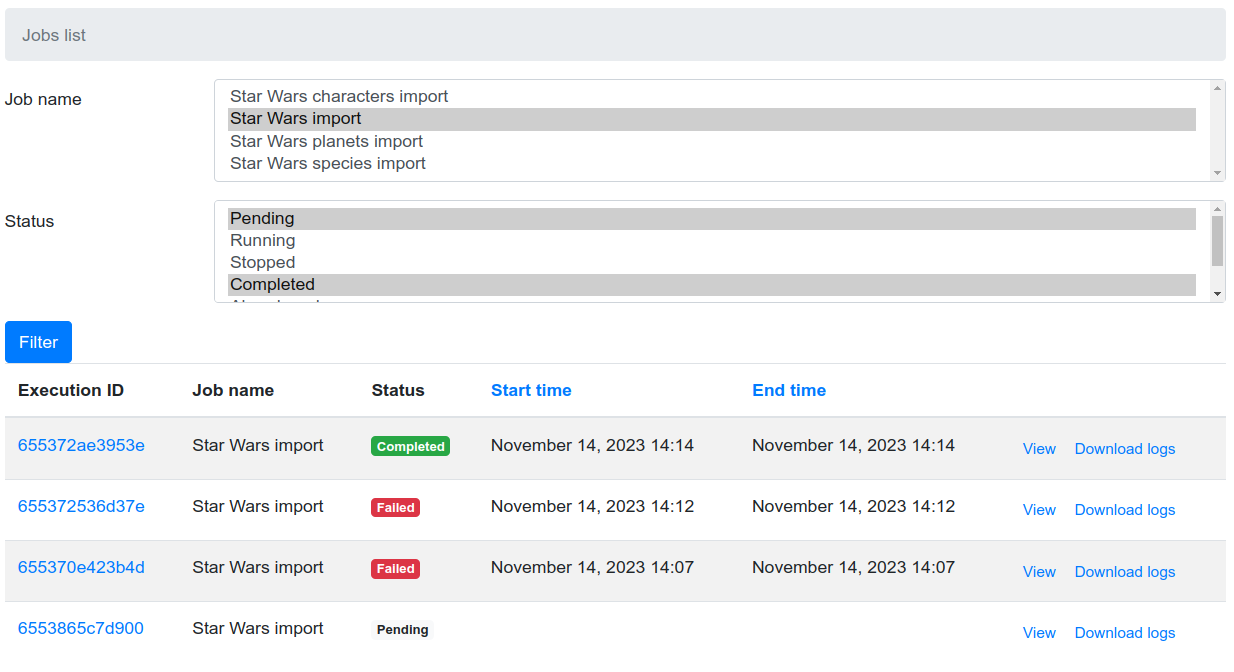
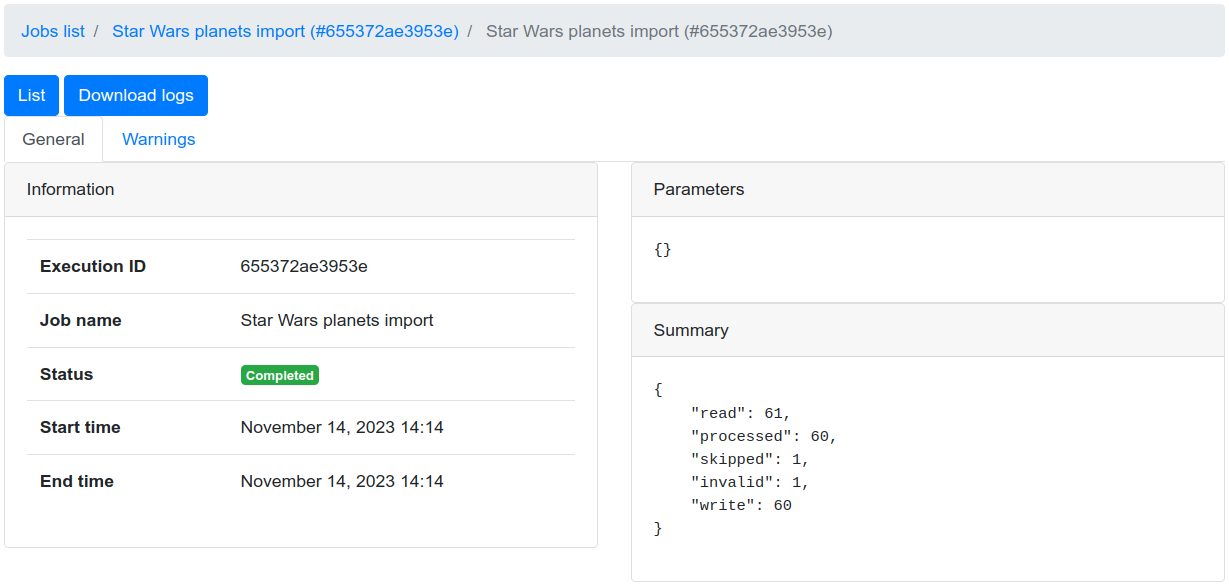
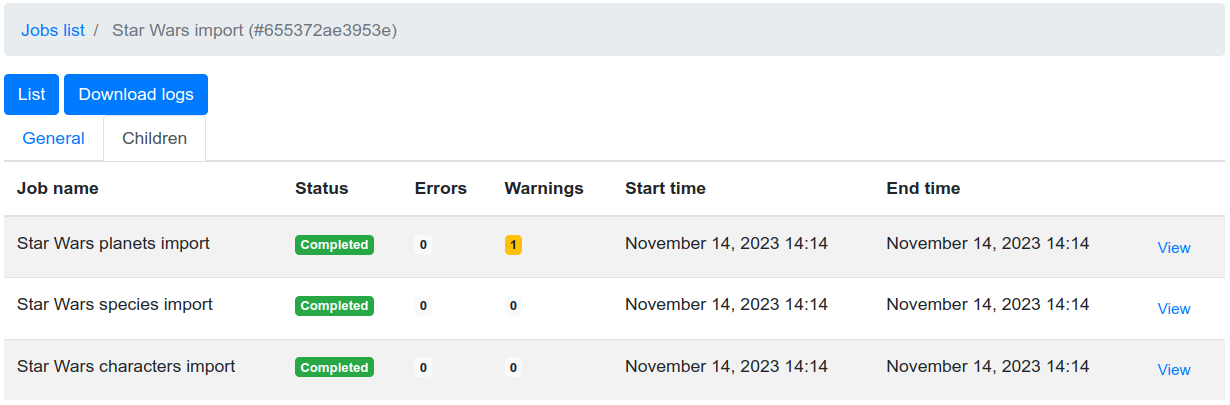
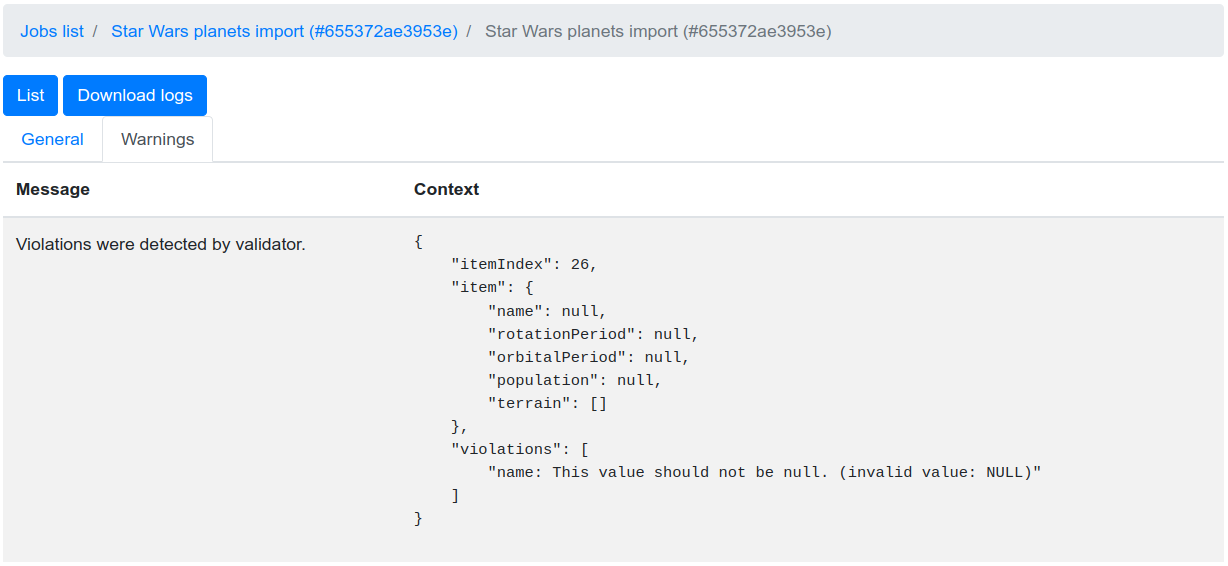
The package is shipped with few routes that will allow you and your users, to watch for JobExecution.
Installation
For the UI to be enabled, it is required that you install some dependencies:
composer require symfony/translation symfony/twig-bundle
The UI is disabled by default, you must enable it explicitly:
# config/packages/yokai_batch.yaml
yokai_batch:
  ui:
    enabled: true
You will also need to import bundle routes:
# config/routes/yokai_batch.yaml
_yokai_batch:
  resource: "@YokaiBatchBundle/Resources/routing/ui.xml"
Templating
By default
the templating will find templates like
@YokaiBatch/bootstrap4/*.html.twigthe template base view will be
base.html.twig
You can configure a prefix for all templates:
# config/packages/yokai_batch.yaml
yokai_batch:
  ui:
    templating:
      prefix: 'batch/job/'
Note
With this configuration, we will look for templates like batch/job/*.html.twig.
You can also configure the name of the base template for the root views of that bundle:
# config/packages/yokai_batch.yaml
yokai_batch:
  ui:
    templating:
      base_template: 'layout.html.twig'
Note
With this configuration, the template base view will be layout.html.twig.
If these are not enough, or if you need to add more variables to context, you can configure a service:
# config/packages/yokai_batch.yaml
yokai_batch:
  ui:
    templating:
      service: 'App\Batch\AppTemplating'
And create the class that will cover the templating:
<?php

declare(strict_types=1);

namespace App\Batch;

use Yokai\Batch\Bridge\Symfony\Framework\UserInterface\Templating\TemplatingInterface;

final class AppTemplating implements TemplatingInterface
{
    public function name(string $name): string
    {
        return "another-$name"; // change $name if you want
    }

    public function context(array $context): array
    {
        return \array_merge($context, ['foo' => 'bar']); // add variables to $context if you want
    }
}
Note
You can also use the
Yokai\Batch\Bridge\Symfony\Framework\UserInterface\Templating\ConfigurableTemplating
that will cover both prefix and static variables at construction.
Pagination
The JobExecution list is paginated. You can configure the number of items per page and the size of
the page window around the current page:
# config/packages/yokai_batch.yaml
yokai_batch:
  ui:
    pagination:
      page_size: 20  # number of job executions per page (default: 20)
      page_range: 2  # number of pages shown on each side of the current page (default: 2)
Filtering
The JobExecution list includes a filter form, but you will need another optional dependency:
composer require symfony/form
Security
There is no access control over JobExecution by default, you will need another optional dependency:
composer require symfony/security-bundle
Every security attribute the bundle is using is configurable:
# config/packages/yokai_batch.yaml
yokai_batch:
  ui:
    security:
      attributes:
        list: ROLE_JOB_LIST # defaults to IS_AUTHENTICATED
        view: ROLE_JOB_VIEW # defaults to IS_AUTHENTICATED
        traces: ROLE_JOB_TRACES # defaults to IS_AUTHENTICATED
        logs: ROLE_JOB_LOGS # defaults to IS_AUTHENTICATED
JobExecution.<?php
declare(strict_types=1);
namespace App\Security;
use Symfony\Component\Security\Core\Authentication\Token\TokenInterface;
use Symfony\Component\Security\Core\Authorization\Voter\Voter;
use Yokai\Batch\JobExecution;
final class JobVoter extends Voter
{
protected function supports(string $attribute, mixed $subject): bool
{
return \str_starts_with($attribute, 'JOB_');
}
/**
* @param JobExecution|null $subject
*/
protected function voteOnAttribute(string $attribute, mixed $subject, TokenInterface $token): bool
{
// TODO: Implement voteOnAttribute() method.
}
}
Integration with SonataAdminBundle
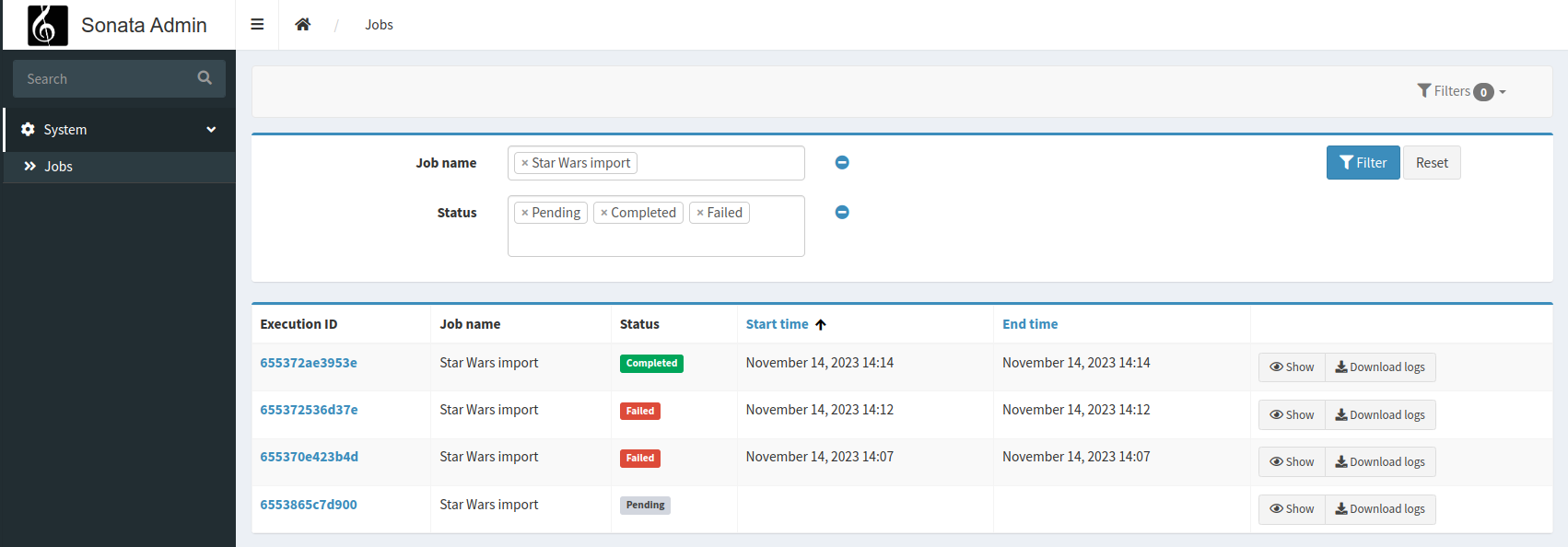
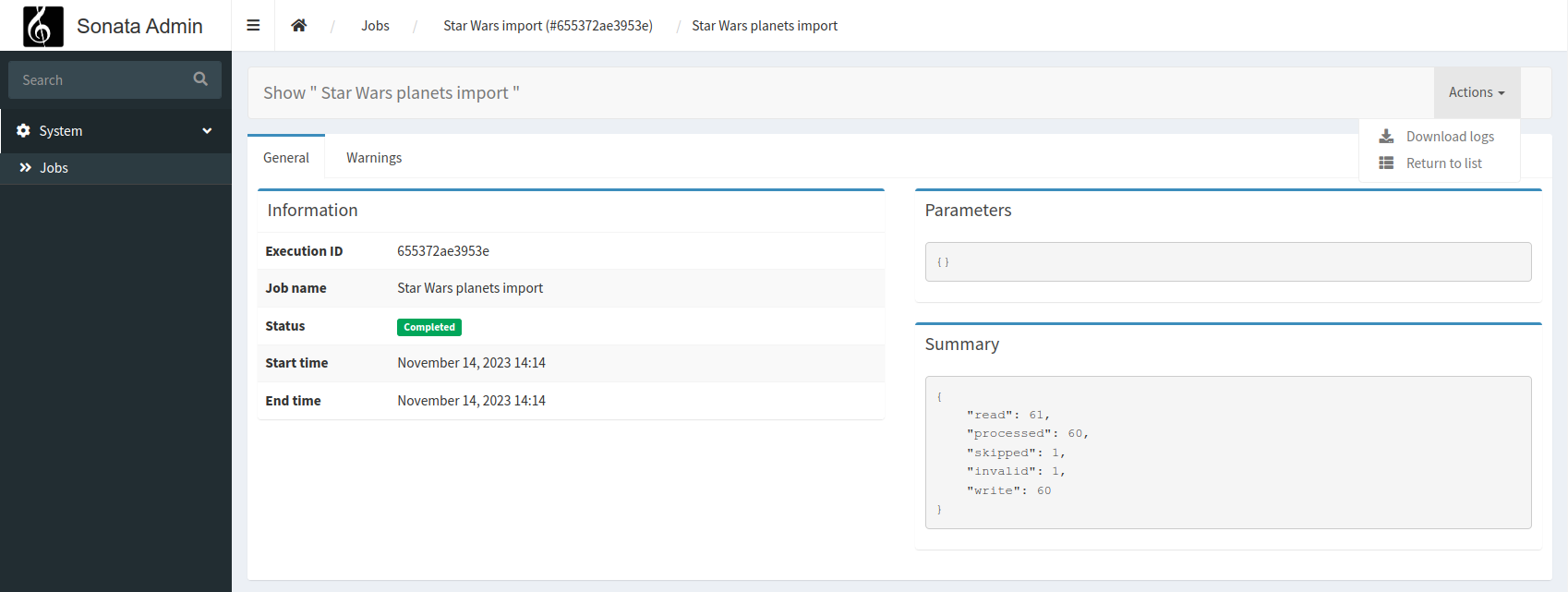
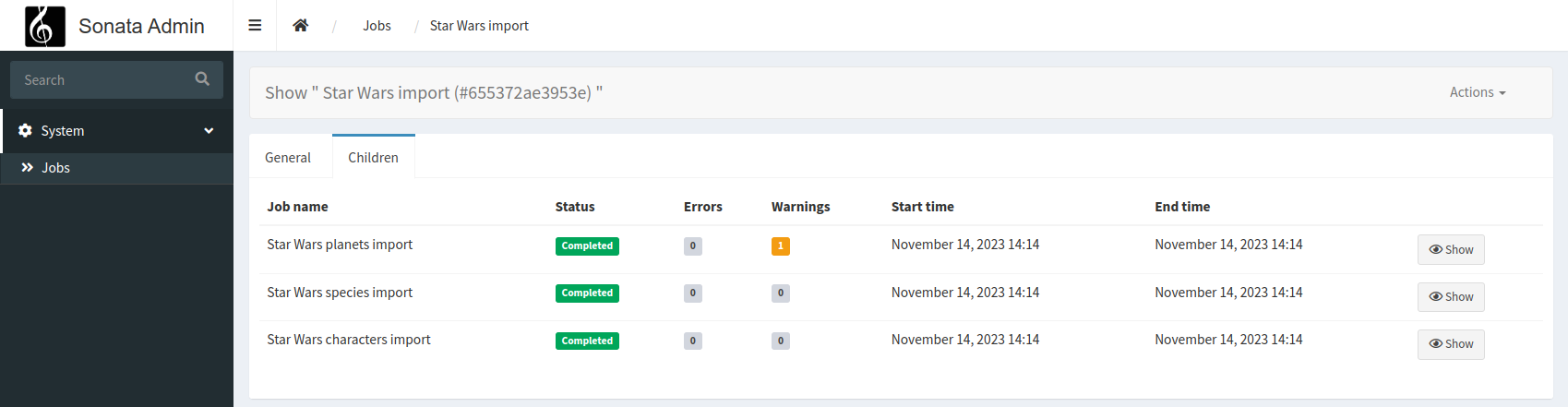
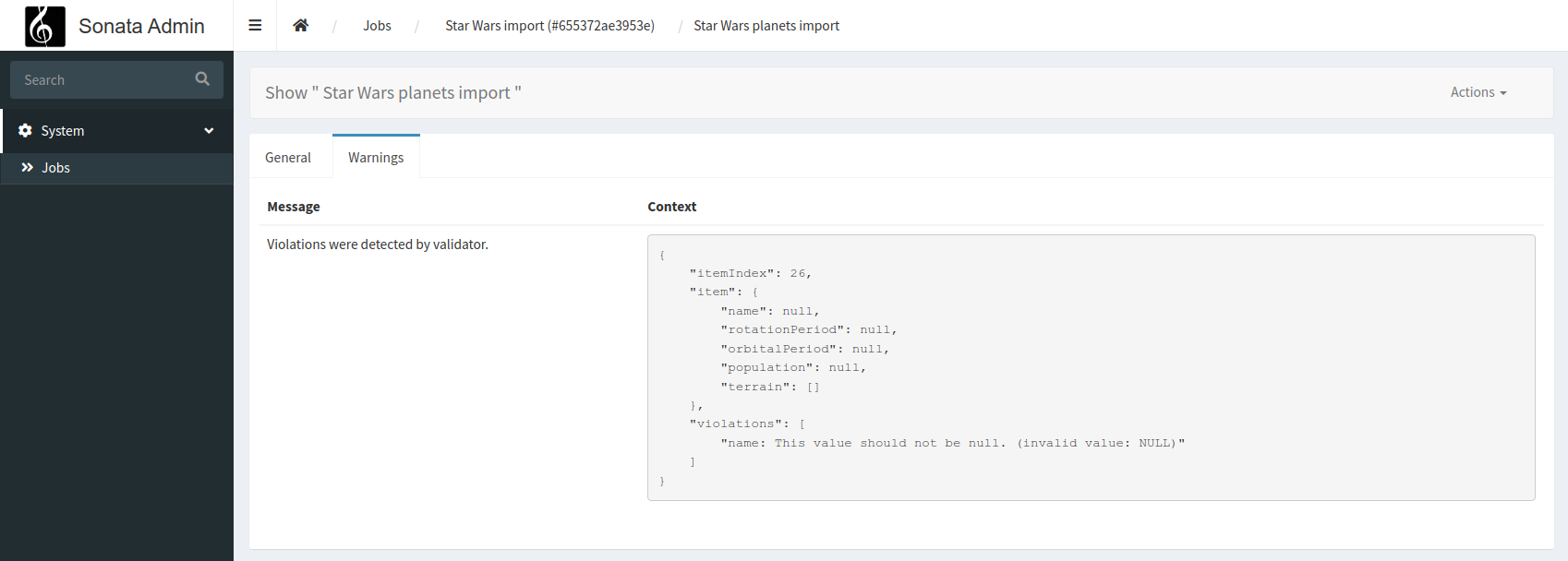
composer require sonata-project/admin-bundle
# config/packages/yokai_batch.yaml
yokai_batch:
  ui:
    templating: sonata
Note
With this configuration, we will look for templates like @YokaiBatch/sonata/*.html.twig.
Customizing templates
templates/bundles/YokaiBatchBundle/bootstrap4/list.html.twigtemplates/bundles/YokaiBatchBundle/bootstrap4/show/_parameters.html.twig
But you can also register job name dedicated templates if you need some specific view for one of your jobs:
templates/bundles/YokaiBatchBundle/bootstrap4/show/{job name}/_children-executions.html.twigtemplates/bundles/YokaiBatchBundle/bootstrap4/show/{job name}/_failures.html.twigtemplates/bundles/YokaiBatchBundle/bootstrap4/show/{job name}/_general.html.twigtemplates/bundles/YokaiBatchBundle/bootstrap4/show/{job name}/_information.html.twigtemplates/bundles/YokaiBatchBundle/bootstrap4/show/{job name}/_parameters.html.twigtemplates/bundles/YokaiBatchBundle/bootstrap4/show/{job name}/_summary.html.twigtemplates/bundles/YokaiBatchBundle/bootstrap4/show/{job name}/_warnings.html.twig
Logger service that log in JobExecution
$yokaiBatchLogger<?php
declare(strict_types=1);
namespace App\Service;
use Psr\Log\LoggerInterface;
final class YourService
{
public function __construct(
private LoggerInterface $yokaiBatchLogger,
) {
}
public function method()
{
$this->yokaiBatchLogger->error(...);
}
}
See also